


- A photo locket necklace holds one or two photos inside a hinged pendant — some display the image through a glass front, others use an interior frame.
- Most lockets fit photos sized 16×16mm, 20×20mm, or 25×25mm. Print at home on thin photo paper and trim to fit.
- Choose shape based on how much of the photo you want visible: oval and rectangular frames show the most face area.
- Use archival or laminated paper to prevent yellowing; keep the locket away from moisture and direct light.
- Best for: memorials, long-distance relationships, military deployment, new baby, and grandparent gifts.
A photo locket necklace is one of the most personal pieces of jewelry you can own or give. Unlike a standard pendant, it opens to reveal a tiny photograph — a face, a moment, or a memory you carry close to your heart every day. But getting the most out of a photo locket means understanding how they actually work: the right photo size, the right paper, the right shape, and the right care routine.
This guide covers everything from choosing the best style for photo display to printing, inserting, and preserving your image so it stays sharp for years. If you are still exploring locket styles in general, our locket necklace guide is a good place to start.
What Is a Photo Locket Necklace?
A photo locket is a hinged pendant that opens to hold a tiny photograph. The concept has been around since the 16th century, when royalty and aristocrats exchanged miniature portrait lockets as tokens of devotion. Modern photo lockets follow the same principle, but the execution varies considerably.
Glass-front lockets have a transparent cover — usually glass or acrylic — over the front face. The photo sits under the cover and is visible from the outside without opening the locket. These are common in oval and round styles and give a display-case effect.
Interior-frame lockets keep the photo completely hidden until you open the pendant. The interior has a raised border or frame that holds the cut photo flat. These are the most traditional style and offer better photo protection.
Engraved-face lockets have a photo or design printed or etched directly onto the outer face of the pendant rather than inside it. The interior may still hold a second photo. This is less common but growing in popularity for custom memorial pieces.
Digital photo lockets represent the modern evolution: a small LCD or e-ink screen embedded in a pendant that cycles through multiple saved images. They connect to a phone app via Bluetooth, hold dozens of photos, and require charging. They are a compelling option if you want to display more than one or two images, though they do not have the heirloom durability of a metal locket.
For a deeper look at what else you can place inside a locket, see our guide on what to put in a locket.
How to Choose the Right Photo Locket
Shape and Photo Display Area
Shape is the single biggest factor in how much of the photo is visible inside the locket.
- Oval lockets have the most interior real estate relative to their outer size. The elongated shape accommodates a face photo with less cropping at the top and bottom. They are the go-to choice for portrait photos.
- Rectangular lockets give the most predictable crop — very similar to a standard wallet-sized photo. They are easy to trim for and leave the least wasted border area.
- Round lockets are the most classic shape but require more aggressive cropping because corners of the photo are cut off. They work well for subjects centered in the frame.
- Heart lockets are popular for romantic and memorial gifts, but the pointed bottom and curved sides mean significant cropping on portrait photos. They work best with small full-body or landscape images. Our heart locket necklace guide covers sizing and styling for this shape specifically.
Single vs. Double Photo
Single-photo lockets have one interior frame or compartment. Double-photo lockets open wider and have two facing frames — ideal for pairing two people (parents and child, two partners, a person and a pet). Keep in mind that double lockets are slightly thicker, which changes how they sit against the chest.
Locket Depth
Shallow lockets (under 4mm deep) hold a flat printed photo and nothing else. Deeper lockets (5–8mm) can accommodate a folded note, a tiny lock of hair, or a small pressed flower alongside the photo. If the locket is a memorial piece, a deeper design gives you more flexibility for keepsakes. For more on the symbolic tradition of lockets, read our article on locket necklace meaning.
Closure Type
Most lockets use one of two closures:
- Spring hinge: snaps shut with a click and stays closed reliably. Good for everyday wear and active lifestyles.
- Friction hinge: closes with gentle pressure, no click. Quieter and more discreet, but more prone to popping open if the locket is bumped or snagged.
If you plan to wear the locket daily, a spring hinge is the more practical choice.
Sizing and Printing Photos for a Locket
This is the step most people get wrong the first time. The interior of a locket is small — typically somewhere between 16×16mm and 25×25mm — and the framing border takes up additional space. Here is how to get it right.
Measure the Interior First
Before printing anything, open your locket and use a ruler or digital calipers to measure the interior photo area (not the outer locket diameter). Note whether the opening is round, oval, rectangular, or heart-shaped so you can crop accordingly.
Common Locket Photo Sizes
- 16×16mm: small round lockets
- 20×20mm: standard round or heart lockets
- 25×25mm: medium oval or rectangular lockets
- 28×35mm: large oval lockets — the roomiest option for portrait photos
Printing at Home
The easiest method is to print at home on thin photo paper. Standard glossy photo paper is slightly too thick for many lockets — it prevents the locket from closing cleanly. Look for lightweight matte photo paper (around 90–120 gsm) or even premium inkjet paper, which is thinner and flexible enough to sit flat inside the frame.
Set up a document with multiple copies of the photo at the exact target size (in millimeters or inches), print a test page on plain paper first, cut one out, and test it in the locket before committing to photo paper. Use sharp scissors or a craft knife and cutting mat for the cleanest edges.
Apps and Services That Size Photos for Lockets
Several tools make sizing effortless:
- Canva (free): create a custom-size canvas, enter your locket dimensions in mm, and export at 300 DPI. Print multiple copies per page.
- Walgreens and CVS photo kiosks: print wallet-size photos (about 25×37mm) and trim to fit — often the quickest option if you do not have a home printer.
- Locket photo printing services (search "locket photo print service"): specialty labs offer pre-cut locket photos sent by mail. Useful for higher-quality paper or archival printing.
- iPhone Photos and Google Photos: both allow custom print sizes through third-party print apps; choose 1×1 inch or 1×1.5 inch depending on your locket.
How to Insert and Remove Photos Without Damaging Them
The interior of a locket is small and the metal edges can catch and tear a photo if you force it in. Follow these steps:
- Open the locket fully and lay it flat on a clean, dry surface.
- If there is an existing photo or backing insert, gently lift it with a toothpick or the tip of a fingernail — never a sharp metal object.
- Hold your new photo face-down between two fingers and slide it into the frame from one edge, pressing the opposite side down gently until it sits flat.
- Close the locket slowly. If it does not close fully, the photo is slightly too large — trim a hair off each edge and retry.
- To remove a photo later, use a toothpick or a spudger tool at one corner to lift an edge, then slide the photo out carefully.
Handle the photo by its edges to avoid fingerprints on the surface, which show through the glass on glass-front lockets.
How to Keep the Photo from Yellowing
A locket photo is exposed to body heat, slight humidity, and the enclosed air inside the pendant — all conditions that accelerate yellowing and fading over time. These steps significantly extend photo life:
- Use archival or acid-free photo paper. Standard inkjet paper is acidic and yellows within months in a closed locket. Archival-quality inkjet paper (look for "acid-free" or "archive" on the label) resists yellowing for decades.
- Laminate the photo. A self-adhesive laminate pouch (the smallest available, around 54×86mm business-card size) adds a moisture barrier. After laminating, trim to locket size. The photo will feel stiffer but will be far more durable. This is the best option for lockets worn daily.
- Seal with a clear acrylic spray. A single light coat of artist's fixative or clear acrylic sealer on the printed side before insertion provides basic protection without adding much thickness.
- Store away from light and moisture. When not wearing the locket, store it in a jewelry pouch or closed box away from bathroom humidity and direct sunlight. UV light fades pigments even through a glass front.
- Avoid contact with perfume, lotion, and chlorine. These penetrate locket closures and accelerate degradation. Apply fragrance before putting on the locket, not after.
Best Occasions for a Photo Locket Necklace
Photo lockets carry emotional weight that few other jewelry pieces can match. Here are the occasions where they resonate most deeply:
- Memorial and grief gifts: Holding a photo of someone who has passed is perhaps the most powerful use of a locket. It transforms a piece of metal into a continuous, wearable connection to a loved one.
- Long-distance relationships: A partner's photo worn close to the chest throughout a long separation carries genuine comfort. Pair with a matching locket for the other person for a shared gesture.
- Military deployment: Service members often carry photos of family; a locket worn on a chain is a practical and durable way to keep those photos safe during deployment. A double locket works well for a partner and child side by side.
- New baby: A locket given to a new parent or grandparent with a newborn's photo is a gift that grows in meaning as the years pass. Choose a deeper locket to also hold a small piece of the birth announcement card.
- Grandparent gifts: A photo locket from grandchildren is consistently one of the most-cherished gifts grandparents report receiving. A double locket showing two grandchildren works beautifully, and sterling silver is an excellent choice for its hypoallergenic and tarnish-resistant properties.
For more ideas on meaningful personalized jewelry, browse our personalized jewelry collection.
FAQs
What is a photo locket necklace?
A photo locket necklace is a pendant that opens via a hinge to reveal a small interior compartment designed to hold one or two tiny photographs. Some styles display the photo through a transparent glass or acrylic front cover; others keep the photo hidden inside a framed interior. The locket hangs from a chain and is worn as a necklace.
What size photo fits in a locket?
The most common interior photo sizes are 16×16mm, 20×20mm, 25×25mm, and 28×35mm, depending on the locket size and shape. Always measure the interior frame of your specific locket before printing, as sizing varies by brand and design. Cut the photo slightly smaller than the measured opening so it sits flat without buckling.
How do I print a photo for a locket?
Measure the interior of your locket, then create a document in Canva or your phone's photo app at those exact dimensions. Print at 300 DPI on thin, acid-free or archival photo paper for the best results. If you do not have a home printer, pharmacy kiosks print wallet-size photos that you can trim to fit, or you can use a specialty locket photo printing service that mails pre-cut photos.
How do I insert a photo into a locket?
Open the locket fully and lay it flat. Hold the photo face-down by its edges and slide one edge into the interior frame first, then press the rest flat. Close the locket slowly. If it does not close, the photo is slightly too large — trim a small amount from each edge and retry. Use a toothpick rather than metal tools to avoid scratching the interior.
How long do locket photos last?
With standard inkjet paper, a locket photo may begin yellowing within months due to heat, humidity, and acidity in the paper. Using archival acid-free photo paper extends life to many years. Laminating the photo before insertion provides the best protection and can keep a photo looking sharp for decades with proper storage.
Can I put a colored photo in a locket?
Yes. Color photos work perfectly in lockets. Print in full color on archival photo paper and the image will be vibrant when the locket is opened. For glass-front lockets where the photo is visible from the outside, make sure the crop and color are exactly as you want before inserting, since adjusting later requires reopening and re-fitting the photo.
What is the best locket for photos?
For maximum photo visibility, choose a large oval or rectangular locket with a spring-hinge closure and a glass front. For durability and heirloom quality, sterling silver is the best material — it is hypoallergenic, tarnish-resistant with proper care, and holds its integrity for decades. Avoid very shallow lockets if you want to laminate the photo, as the extra thickness can prevent closure.
Can you make a custom photo locket?
Yes. Many jewelers offer custom photo lockets where the outer face of the pendant is engraved with a name, date, or short message, and the interior holds a photo as usual. Some services engrave a photo directly onto the metal face using laser engraving — this is a more permanent option that does not fade like a printed photo. For a fully customized approach, a sterling silver locket with engraving and a photo interior is one of the most meaningful personalized jewelry pieces available.
Choosing the Right Metal, Chain Length, and Price for a Photo Locket Necklace
The right photo locket necklace comes down to three buying decisions the photo itself has nothing to do with — metal, chain length, and price — and getting them right is what determines whether the locket still looks and closes properly five years from now (2026).
Metal: What the Locket Is Actually Made Of
Always check the base metal before you check the finish — "gold" and "gold-plated" are not the same purchase. A locket described only as "gold" with no base metal named is almost always a plated piece, and the base metal underneath is what determines how it wears against skin and how long the finish lasts.
| Material | Everyday Wear | Skin Sensitivity | Typical Price |
|---|---|---|---|
| 925 sterling silver (bare or rhodium-plated) | Very durable; can tarnish without care, polishes back easily | Hypoallergenic | Accessible |
| 925 sterling silver + 18K gold plating | Gold-tone finish over a durable base; finish can wear thin with heavy daily friction (chains, gym straps) | Hypoallergenic | Mid-range |
| Solid 14K/18K gold | Color goes all the way through; never plates off | Generally well-tolerated | Highest |
| Brass or base-metal alloy | Prone to greening and tarnish, especially in humidity | Common irritant | Lowest |
For a piece that holds a photo and gets touched, opened, and closed daily, sterling silver is the practical middle ground: it's hypoallergenic, holds its shape over years of hinge use, and takes a gold-plated finish well if you want warmer tone without solid-gold pricing. AJLuxe's photo lockets are built this way — 925 sterling silver with 18K gold plating as the finish option, never marketed as solid gold.
Chain Length: Where You Want the Photo to Sit
- 16–18 inches: sits at or just below the collarbone — the locket is visible and easy to open one-handed, but more exposed to friction from scarves and seatbelts.
- 20–24 inches: sits closer to the sternum, tucked more naturally under a collar — the common choice for memorial and deployment lockets people want worn but not on display.
- Layered: a locket on a slightly longer chain (20"+) layers cleanly under a shorter pendant necklace without the two tangling or the locket's hinge catching on the other chain.
What to Expect to Pay
A well-made sterling silver photo locket generally runs $24.99–$79.99, with price scaling by locket size, whether it's single or double photo, and whether the chain and clasp are included or sold separately. Below that range, expect thinner metal prone to denting and a hinge that loosens quickly; solid gold lockets with the same features run substantially higher. If the locket is a gift, look for one that ships gift-ready in its own box — it saves an extra purchase and matters for memorial or milestone gifts especially.
Toutes les marques, noms de marque et noms de produits tiers sont la propriété de leurs détenteurs respectifs. AJLuxe n’est affilié à aucune marque tierce citée dans cet article, ni approuvé ou sponsorisé par celle-ci. Les noms de marque sont utilisés uniquement à des fins de comparaison factuelle, et les descriptions de matériaux reflètent les spécifications produit publiées par chaque marque au moment de la rédaction.
You Might Also Like

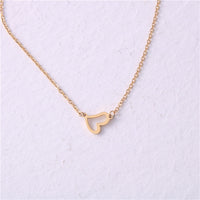
The piece they're describing → Collier lettre initiale pour femme — Plaqué or 18 carats, pendentif lettre personnalisée
Personalize Yours


